In development · version 0.7.1
AI Lab · Time tracking & invoicing
Solozeit
Time tracking and invoicing for solo self-employed people — from the first minute to the e-invoice.
- Stored locally — Its own database on your device, with automatic and manual backups.
- E-invoicing included — EN 16931 / UBL 2.1 and XRechnung 3.0.2, plus a readable PDF.
- For Windows 10/11 — Tests on iPad and Android are planned.
TIME
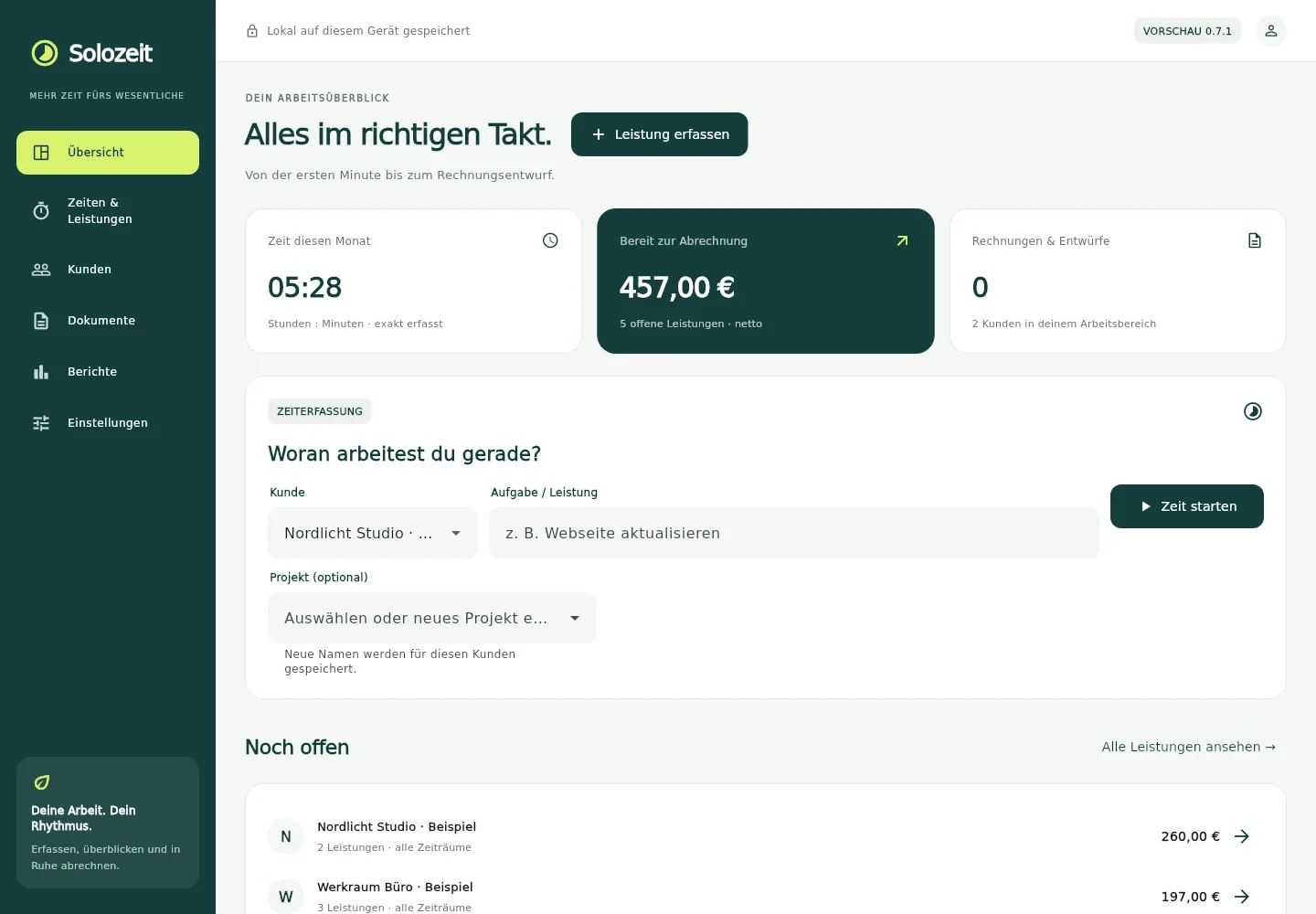
Time tracking and services
Track time
Start a timer or add time afterwards. Client, project and task stay linked.
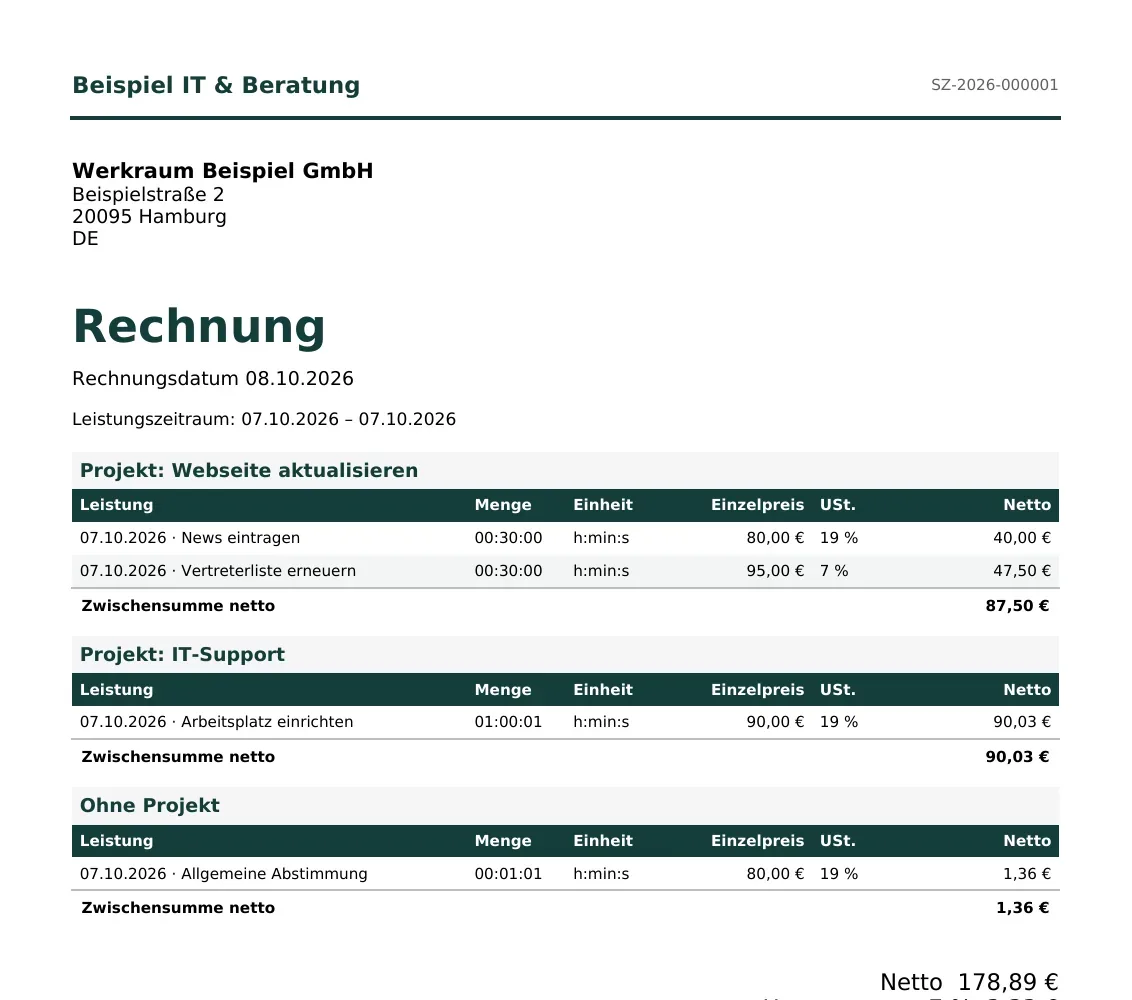
Pause and resume
Breaks are not counted. Resume the task later, even after a restart.
Other services
Record materials, travel and flat fees. Bill time exactly or round up to 15 or 30 minutes.
PROJECTS
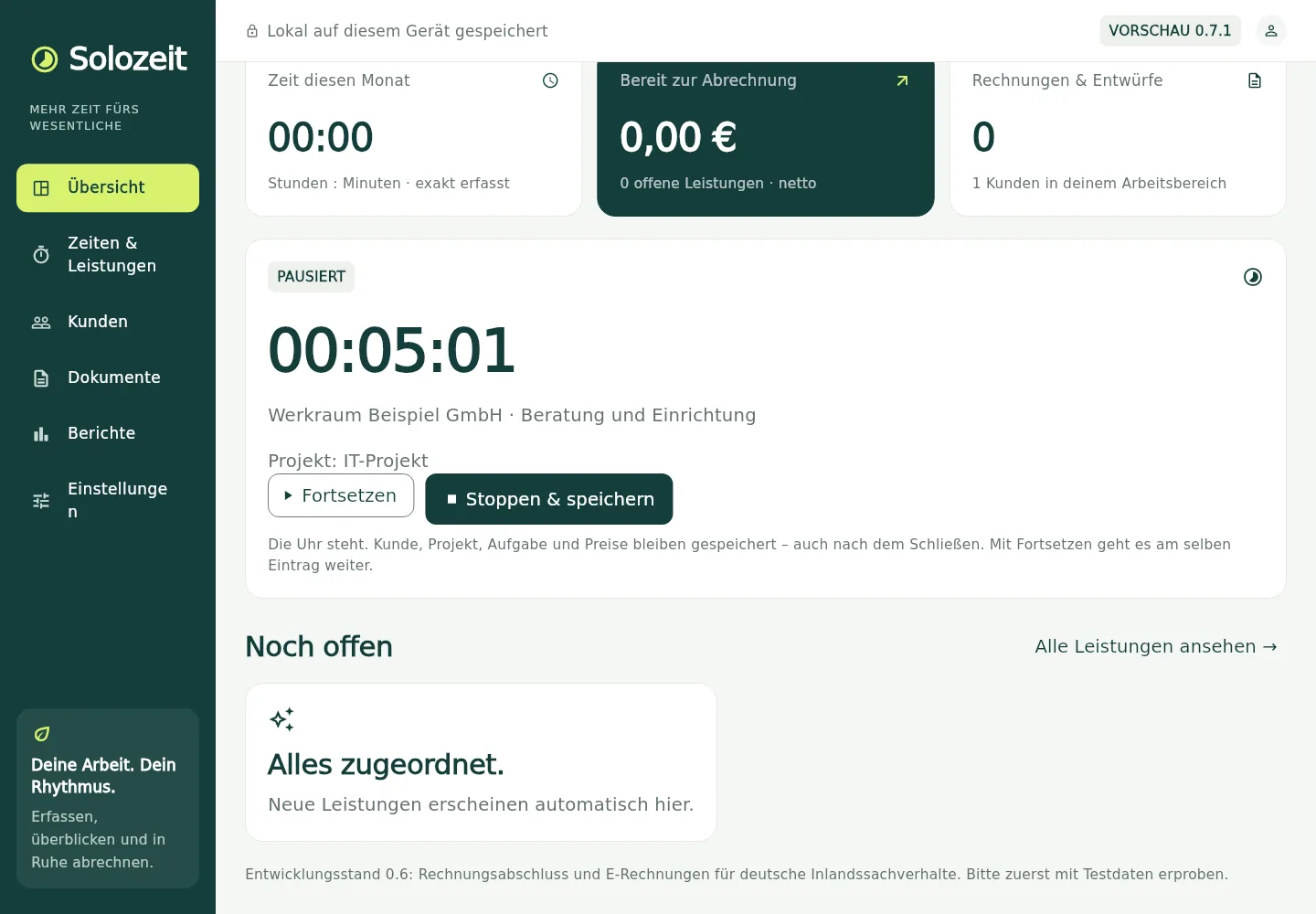
Client projects that stay
Projects per client
Select or create projects. Their names are saved for further tasks.
Track tasks separately
For example the project “Update website” with the tasks “Post news” and “Renew representative list”.
Bill together
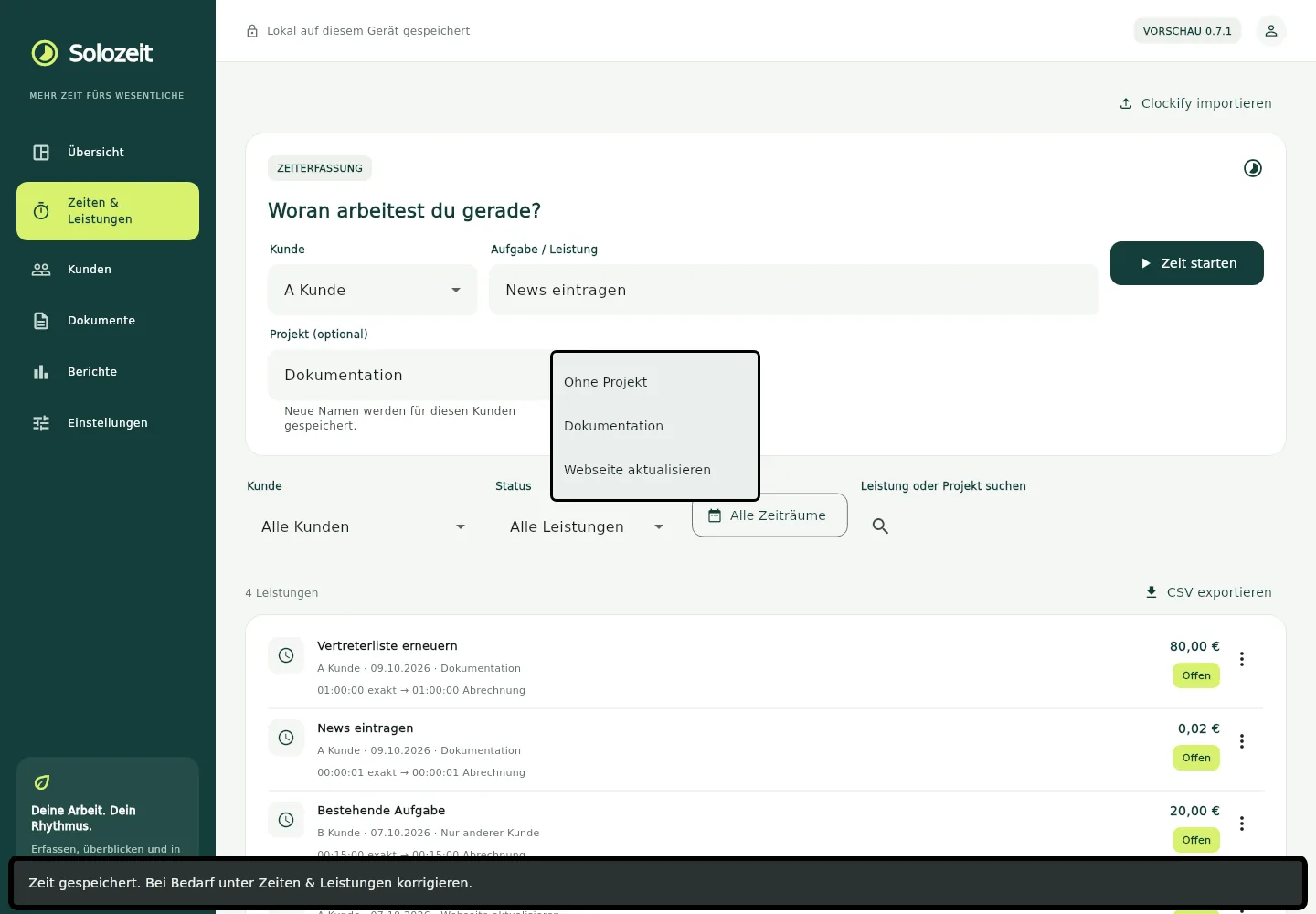
The services of a project go into their own invoice section with a net subtotal.
INVOICES
Invoices and e-invoices
Invoices by project
New drafts group services by project. Every line keeps its time, price and tax rate.
PDF and e-invoice
Without a buyer reference, an e-invoice according to EN 16931 / UBL 2.1 is created; with a reference, an XRechnung 3.0.2. PDF and XML are both kept.
Traceable corrections
Full cancellation and replacement drafts carry over the stored document state. Finalized files stay unchanged.
QUOTES
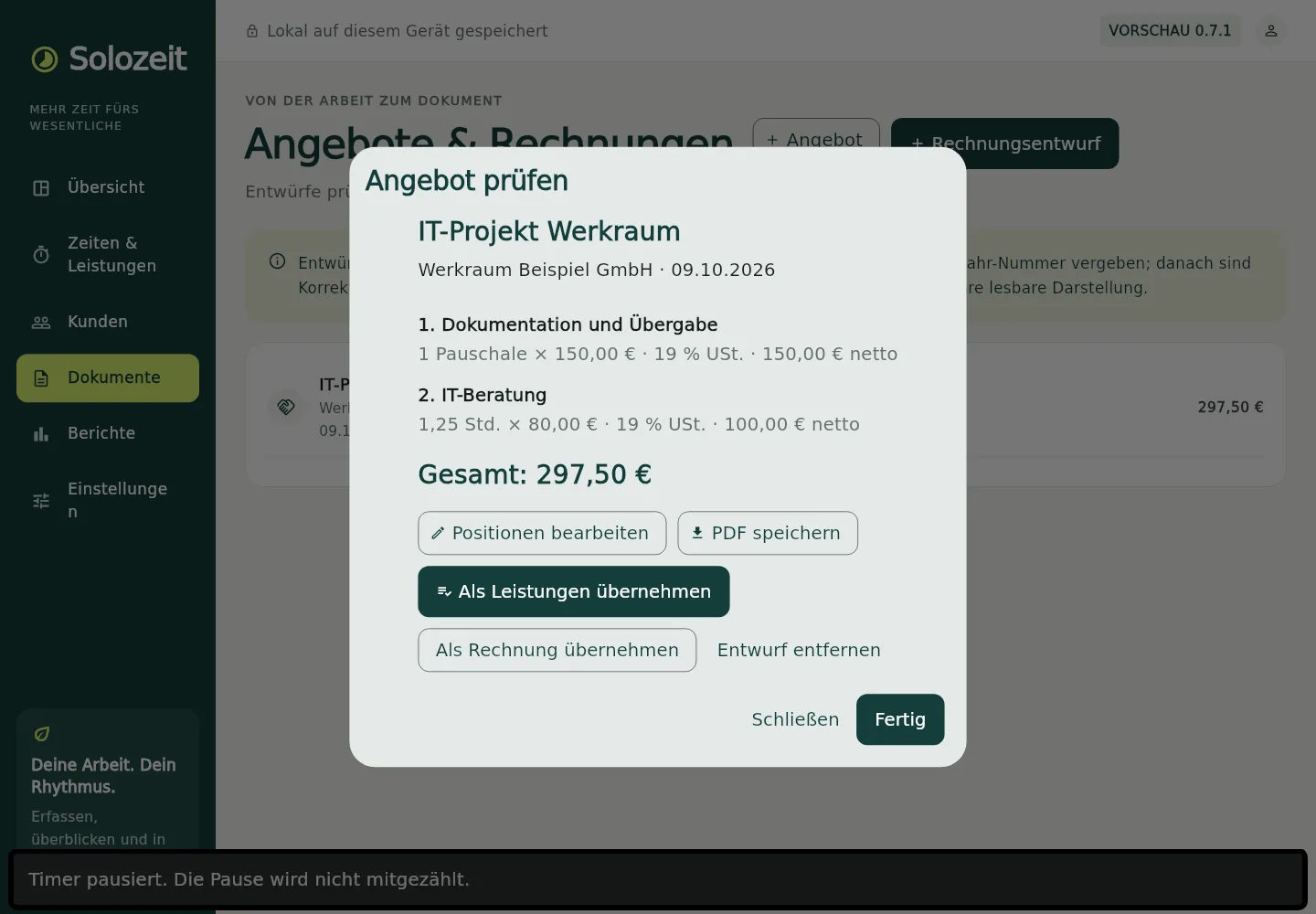
Quotes with multiple items
Estimate the scope
Quote hours, materials, travel and flat fees. Adjust quantities and prices per item.
Transfer as services
Confirm the quantities and time actually delivered and bill them together.
Straight to an invoice
Transfer quoted items directly into an invoice draft.
DESIGN
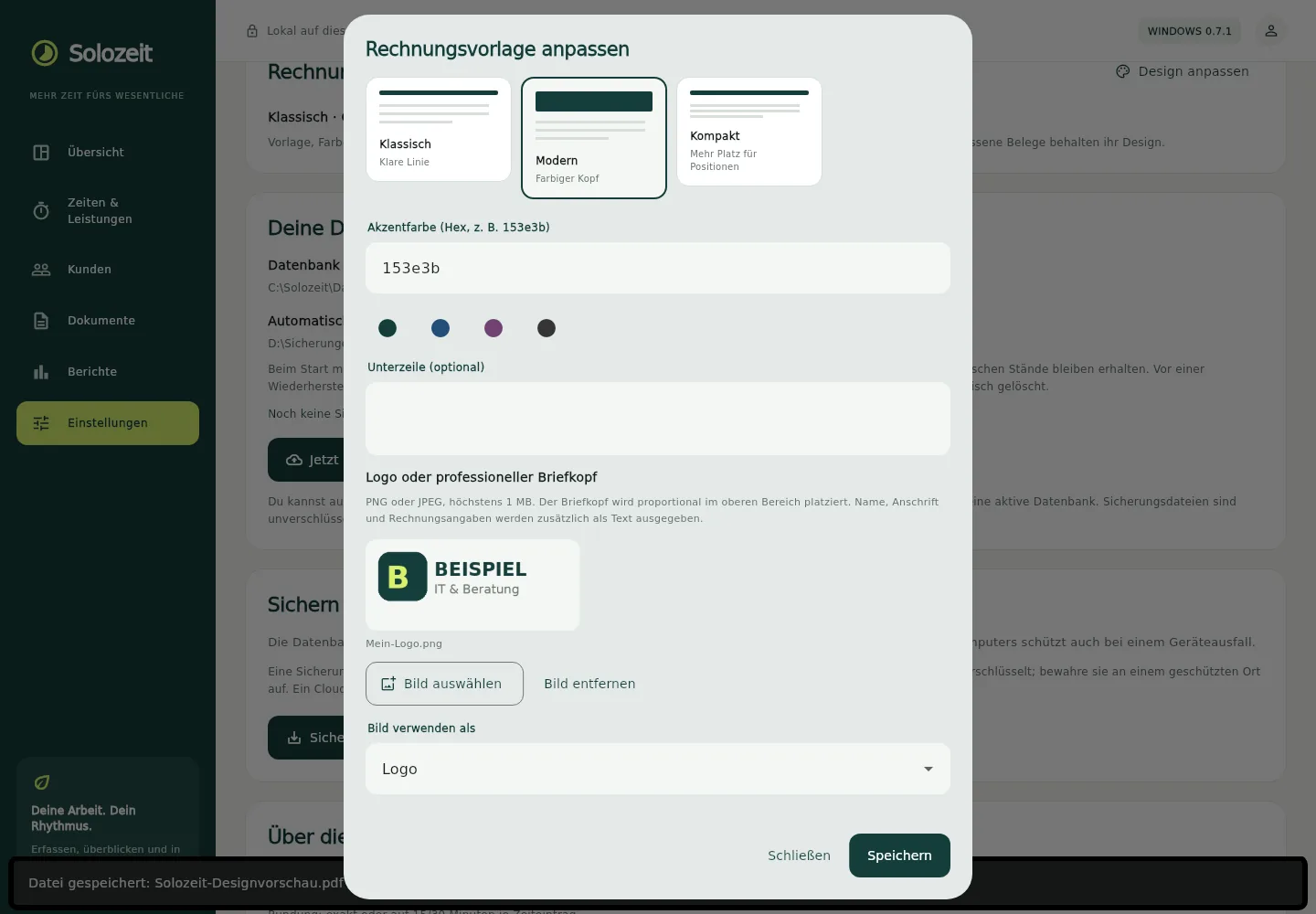
Invoices with your own look
Templates and preview
Classic, Modern or Compact. Adjust color, logo and an image letterhead, with a PDF sample preview.
Company details
Address, tax and bank details in separate blocks. Account holder separate, bank name and BIC optional.
DATA
Import and backup
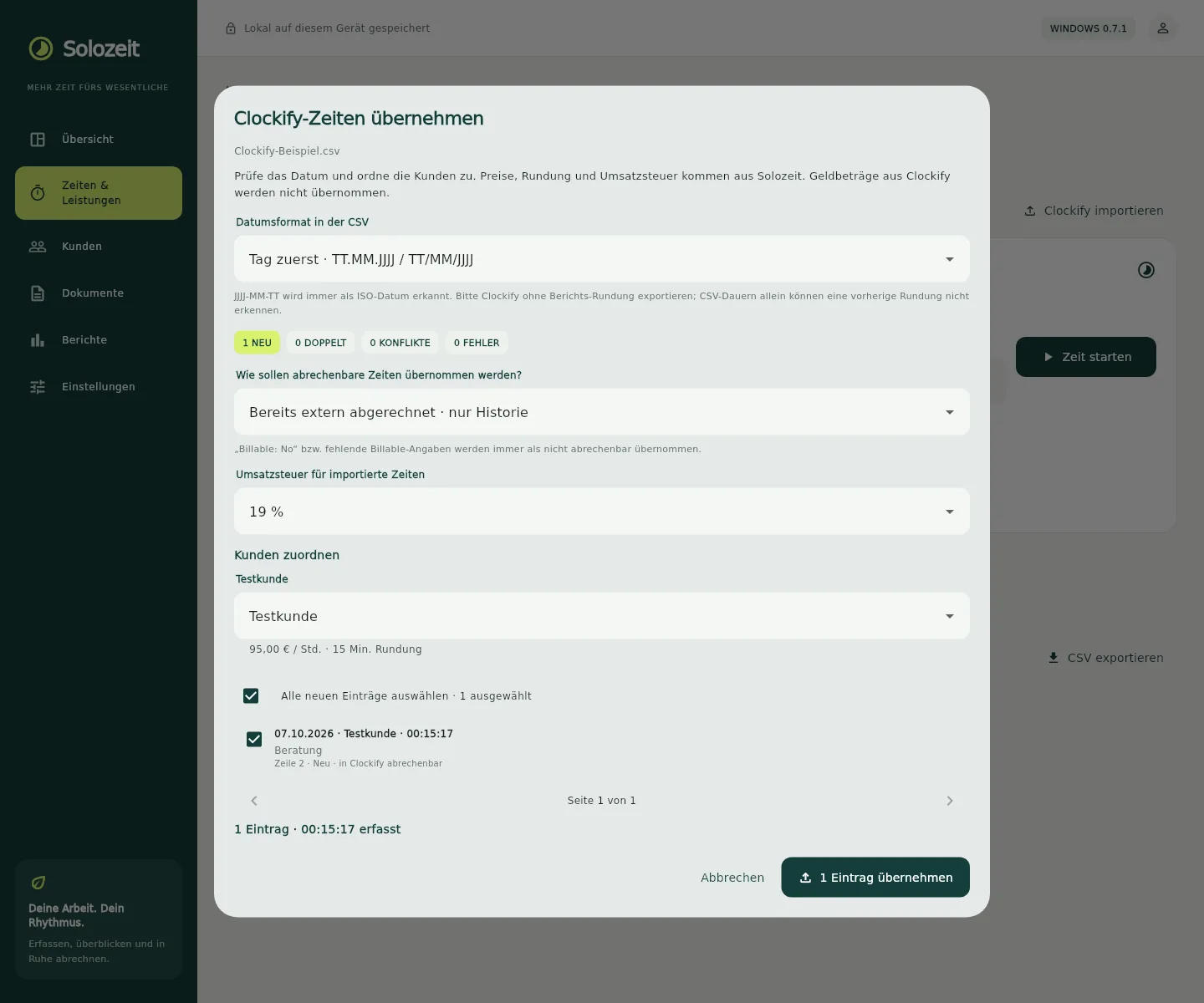
Bring over Clockify time
Check a Clockify CSV in advance and assign clients. Export your own time and services as CSV.
Detect duplicates
Existing entries are recognized, changed imports appear as conflicts. Time billed elsewhere stays as history.
Store and back up locally
Local database with automatic and manual backups. Restore from SQLite or JSON.
Outlook
Planned next steps
Up next
Projects and release
- Rename and archive projects
- Project budgets and partial invoicing
- Windows installer with its own code signature
- XML validation inside the app and preparation for production release
Later
Further expansion
- More import formats: XLSX and PDF
- Tests on iPad and Android with adapted controls
- Device sync for working on several devices
Planned features without binding release dates.
Behind the scenes
Built with AI, grown from real requirements
Solozeit is built with AI support and extended step by step based on concrete requirements from everyday work: first time tracking and invoices, then timer pauses, quotes and invoices by project.
Demanding topics such as e-invoicing formats show that AI-assisted development has long gone beyond prototypes. The same care goes into the websites we build for clubs, private individuals and small businesses.
Testing phase
Interested in Solozeit?
There is no download yet — Solozeit is currently in testing. If you would like to be notified as soon as a test version is available, just drop us a line.
FAQ
Good to know
When will Solozeit be released?
There is no fixed date yet. A Windows installer with code signing and the preparation for a production release come first.
Which devices does Solozeit run on?
Currently Windows 10 and 11 (64-bit). Tests on iPad and Android with adapted controls are planned.
Where is my data stored?
In a local database on your device. Backups are created automatically or manually as SQLite or JSON files; an existing cloud folder can also serve as the target. Sync between several devices is not available yet.
Which e-invoice formats are supported?
Without a buyer reference EN 16931 / UBL 2.1, with a buyer reference XRechnung 3.0.2. A readable PDF is created for every e-invoice as well. XML validation inside the app is planned.
Can I switch from Clockify?
Yes. Clockify time entries can be imported as CSV, checked in advance and assigned to clients. Existing entries are recognized.
How much will Solozeit cost?
That has not been decided yet. The finished version is planned as a paid product; details will follow before the release.
Will the name Solozeit stay?
Solozeit is a working title. The final name may still change before the release.